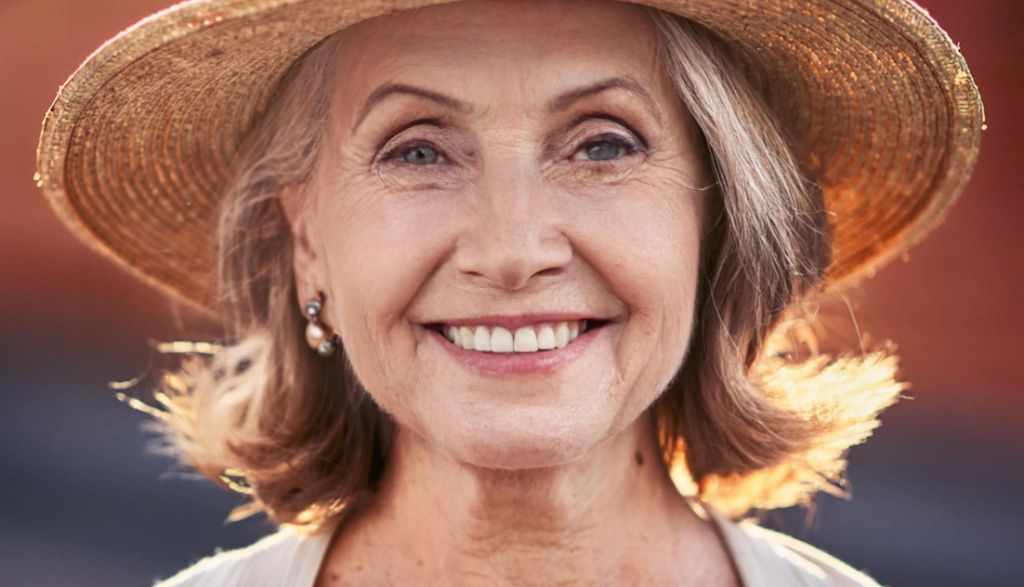
In the age of artificial intelligence, one of the most intriguing questions is: Can IA really create realistic images of people? In this experiment, I have tested several image-generating IA to see if they are able to create detailed human faces that look real.
I used a specific description of a older woman with hat, warm smile and particular details in its expression, dress and background of the image. My aim was to see to what extent these IA could replicate a convincing human image from a text description and whether the «persons» generated seemed really natural.
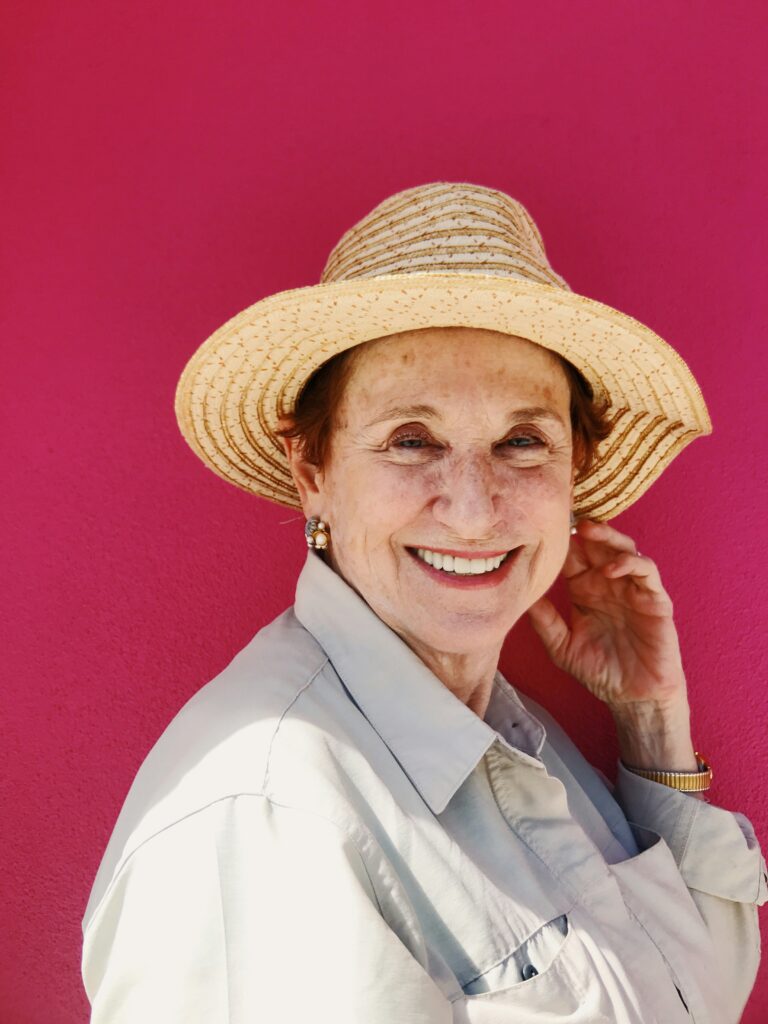
I've made a description of the image. «Smiling older woman with light straw hat and stripes. Skin with soft lines of expression and some freckles, dark eyes and warm smile showing white teeth. Dress up beige or light grey shirt, with visible seams, and wear a golden watch and pearl earrings. His hair collected under the hat shows some clear brown locks. Intense fuchsia background that highlights its cheerful expression, naturally illuminated.» based on the base image to try to replicate it.
Realistic example:
The results? They'll surprise you and show you how far the power of the IA comes... and where there's still room for improvement.
Microsoft Designer to generate images
Microsoft Designer was one of the first tools I tried, and managed to capture several specific details of the original description, especially regarding the age and lines of expression. Besides, I think I'm very good at all the details I specified.
The tool generated an image of an older woman that included wrinkles and texture in the skin, achieving a satisfactory level of realism. In addition, the requested fuchsia background was included in the images, which provided an attractive contrast and highlighted the woman's warm expression.
I then leave you the image I personally liked most, because I think it's the most realistic.
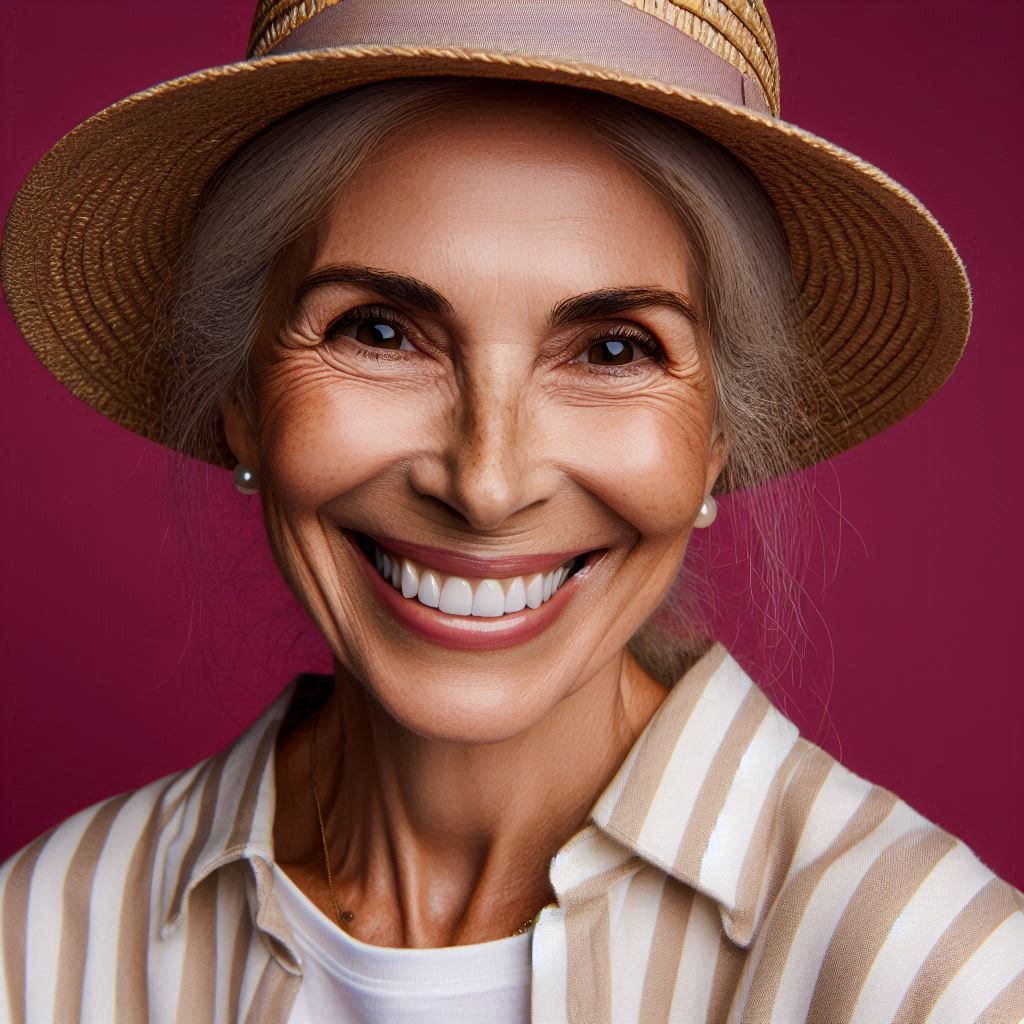
I believe that from this generation of images we can highlight that:
- It well captures the facial details of an older woman, with a realistic appearance.
- It represents accessories like the pearl earrings and the straw hat, although in a simplified way.
- It includes the requested fuchsia background, which provides additional visual value.
- He made the fractions of the face according to the detail and even with the notes requested from the white teeth.
I think Microsoft Designer shows a good ability to capture specific details of the description and generate a realistic image of an older person. Even so, some elements may seem slightly idealized, such as facial glow.
Adobe Express to generate images
Adobe Express also offered fairly realistic results, especially with regard to the skin texture and features of an older person. The lines of expression and wrinkles are visible, and the skin has a convincing texture.
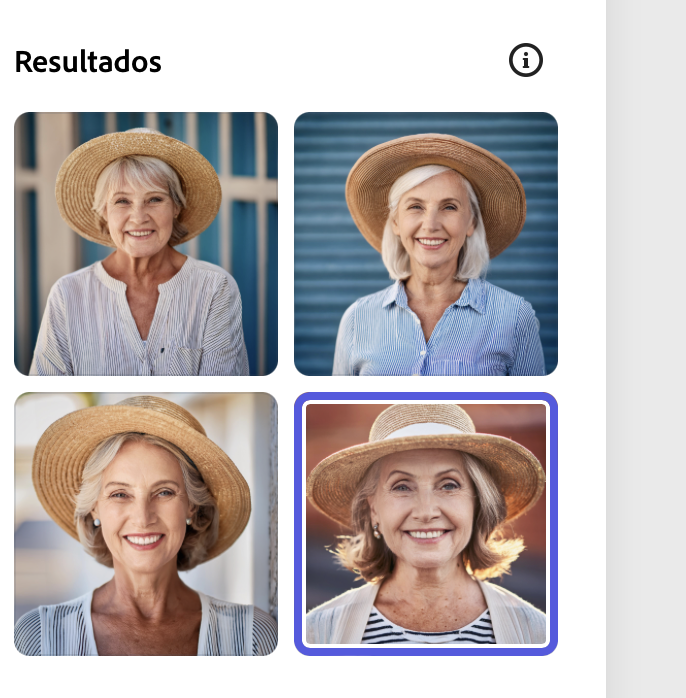
I chose one of the images to be able to review and analyse it more in detail. Adobe Express was more precise in representing the woman's age, showing a person with characteristics that reflect maturity. The lines of expression around the eyes and mouth are visible, which gives a sense of realism in terms of age.
Compared to other tools, Adobe Express has a more realistic result in terms of skin texture and facial details. The faces created have a texture closer to human skin, without excessive brightness or artificial softness.
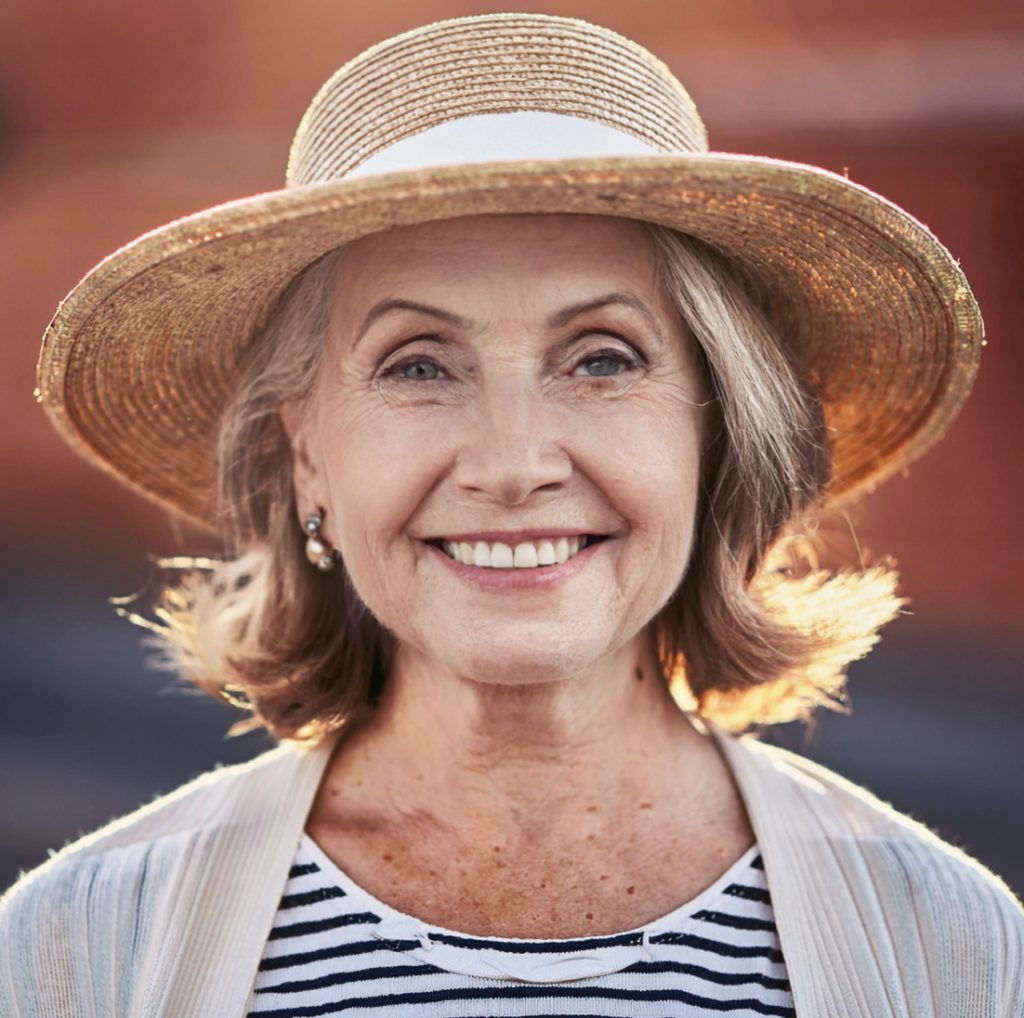
Some notes on the image generated:
- High quality in skin representation and facial features.
- Precise representation of age without overstatement.
- Lack of custom details requested in the prompt.
We can say that it is an excellent option to generate realistic images of people, although its accuracy in specific details is limited, as it does not get to outline all the detail that is specified as is the case with the background type, the clothes it carries or some other entries requested.
Picsart generating realistic images
Picsart generated an image that managed to capture a rather realistic appearance of an older woman. Although the tool offers only an initial version, it allows you to edit the image, which adds flexibility. The wrinkles and texture of the skin are convincing, and the woman's expression looks natural and warm.
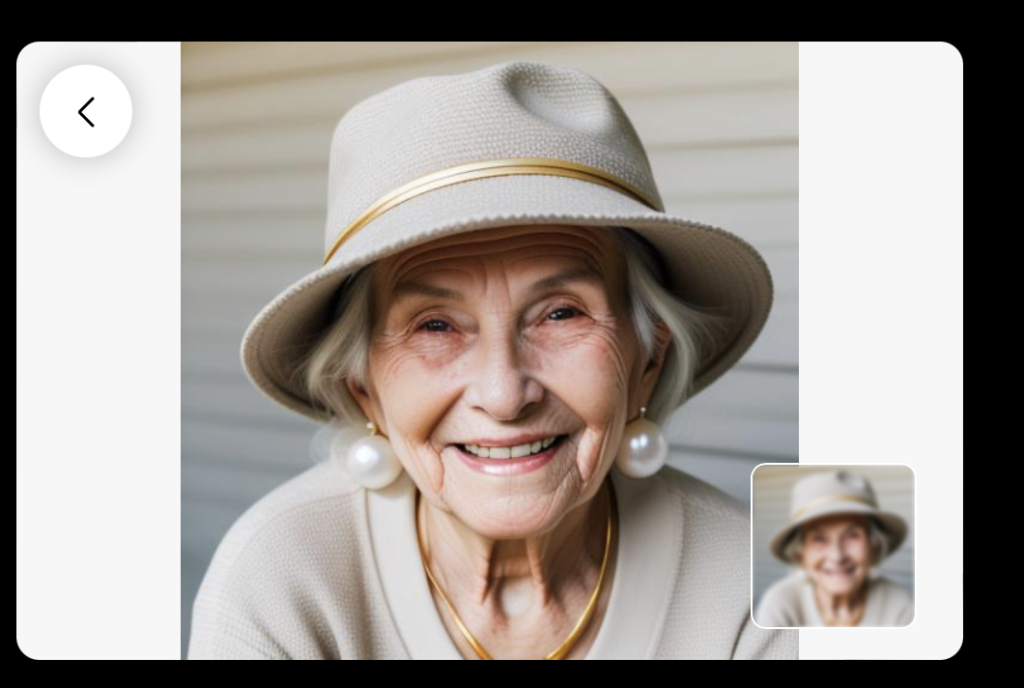
The details on the skin, the lines of expression and the natural softness of the face well reflect the characteristics of an older woman, achieving a level of authenticity that could be confused with a real image. We can highlight some elements such as:
- High precision in the representation of an older woman, with details of expression.
- Realistic skin texture and friendly expression.
- Possibility to edit the image to adjust details.
It is a solid option for those seeking realism and the possibility of subsequent adjustments. Although it offers less customization options by giving only one initial version, the quality of the image and the level of realism achieved make it a solid tool to create images of people with a photorealist aspect.
Testing Fotor's IA
Fotor provided two image options that fit the description well in terms of age and facial features. Both versions have visible lines of expression and a convincing skin texture. The truth that I have to say that I very much liked the results obtained, look for yourself:
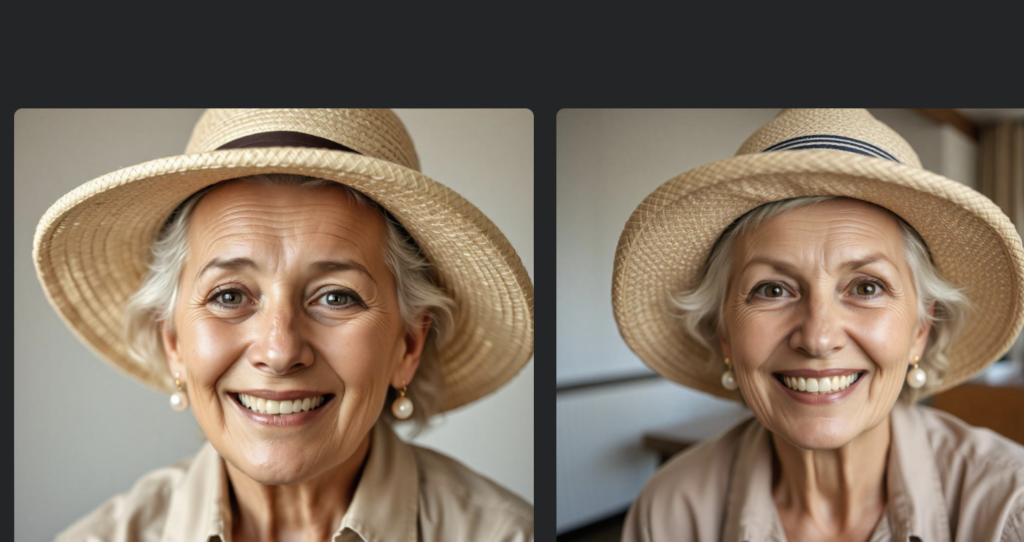
otor generated two options that capture well the The essence of an older person. The images include marked lines of expression and soft wrinkles on the face, which brings a realistic look. The fractions of the face are well balanced and look natural, achieving a finish close to that of a real photograph. This precise representation of age is one of the strongest points of Fotor. We can highlight some points such as:
- Good age representation and facial details.
- Variety of options that allows exploring different versions.
- Specific details such as the fuchsia background and some accessories are absent.
I think that Fotor is ideal for getting realistic and well-balanced images of older people, with the advantage of being able to choose from several options. The possibility of choosing between two options adds an important value, as it allows to find a version that best suits needs.
ChatGPT (DALL-E) to generate realistic images
The ChatGPT DALL-E tool was one of the best to capture the detailed description. He managed to represent the age, the lines of expression, the hat with stripes and the fuchsia background. The accessories, such as pearl earrings and the watch, were also included, which adds a level of customization that other tools did not achieve.
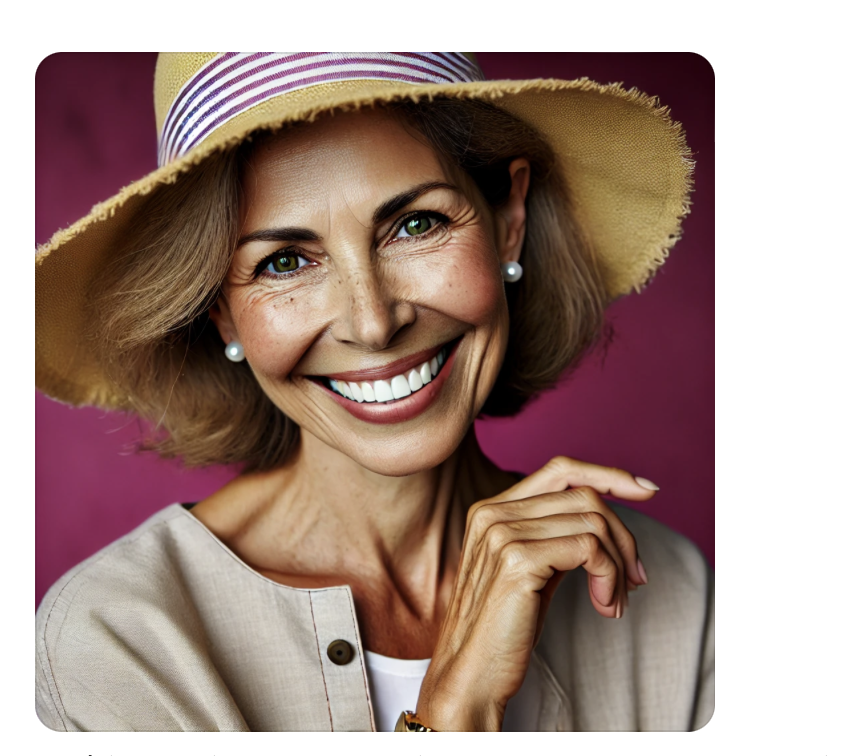
He interpreted the age of the woman well, showing a mature appearance and lines of expression that give nature to the face. The wrinkles and freckles are well distributed, creating a skin texture that reflects the requested age without overreacting or oversoftening. This precision in skin texture and facial features contributes to convincing realism. We can highlight points such as:
- Capture of specific details such as hat, earrings and fuchsia background.
- High realism in skin texture and expression.
- Representation faithful to the description in terms of accessories and age.
In terms of image generation, stands out for its ability to generate a well-adjusted image to the description. But still I think the image could be seen as generated by artificial intelligence by lighting and glow.
Bing - Image Creator
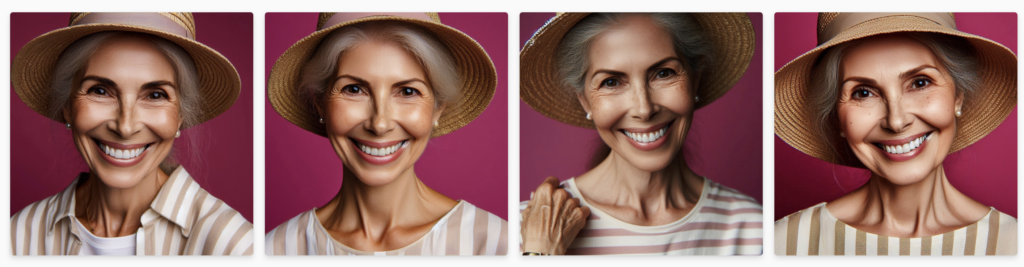
Bing Image Creator generated several options, some of which managed to capture the realism and age of womenrequested. Although not all versions followed the description at the foot of the letter, the variety of options allowed exploring different interpretations and styles, which is a significant advantage.
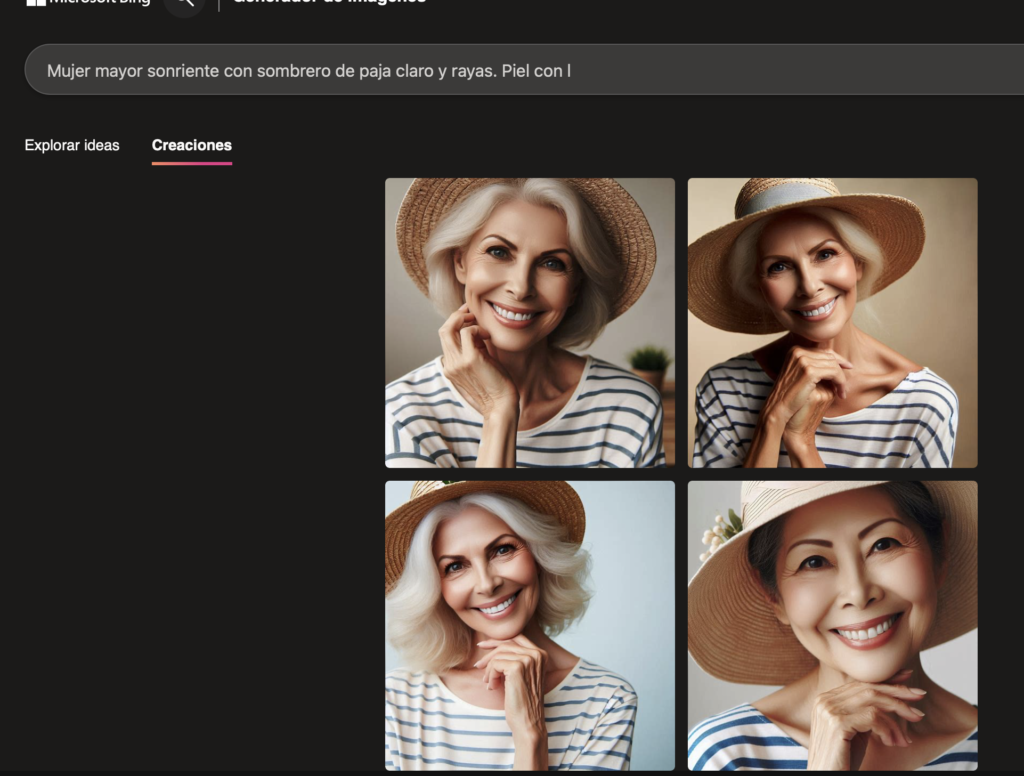
We can highlight from the images taken:
- Variety of options in one search.
- Decent representation of age and lines of expression.
- Lack of precision in certain specific details.
Bing Image Creator is a versatile tool that offers various realistic options, although I think wa times may lack precision in specific details such as those I specified in the description as the earrings or other small details.
Testing realism for Craiyon
Craiyon generated multiple versions of the image, with some fairly realistic results and others more illustrative. Although the tool allows you to explore different visual approaches as you can see below:
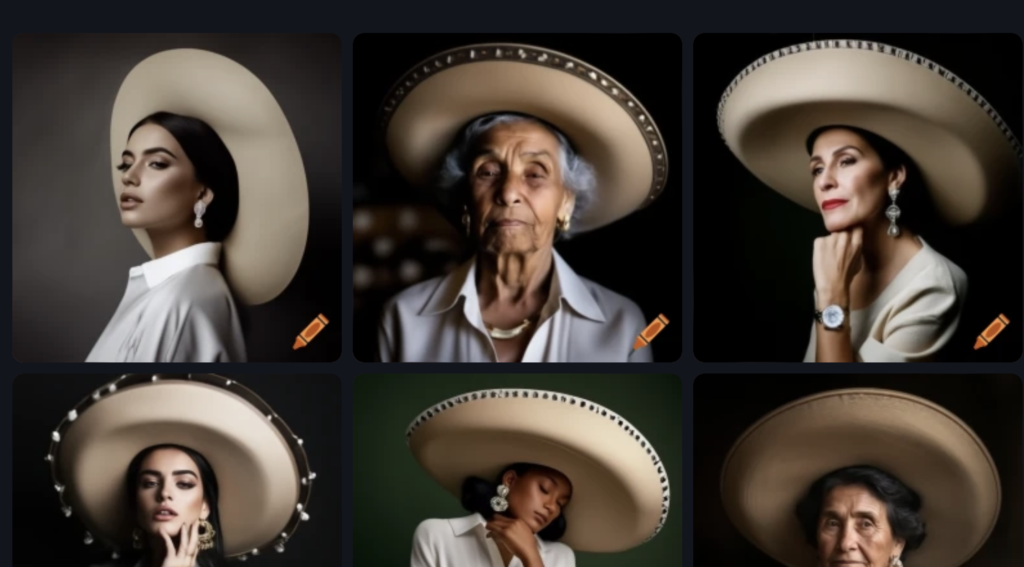
Craiyon generated a variety of options, some of which well represent the age of the woman. Some images show wrinkles and lines of expression that suggest an old face, while other options seem to represent younger or idealized women.
We could say it offers:
- Diversity of options in the same search.
- Some versions show good realism in facial details.
- It gives very varied and thematically related options
One of the advantages of Craiyon is the variety of options it offers in a single search. This allows the user to explore different interpretations and visual styles, although in my personal view it lacks consistency in realism and in the accuracy of the details, since not all proposals follow the main concept of «older woman». But I still think it generates very realistic images.
Is artificial intelligence capable of creating images of realistic people?
After testing several IA tools for people's image generation, the results show a varied picture of the ability to follow a detailed description. Some tools, highlighted by their ability to personalize and realism in the details, are able to represent accessories, background and expression in a precise way.
In general, the IA has made significant progress in creating photorealist portraits, but they still have limitations to capture all the nuances of a detailed description. Above all, I think the most important thing is that we know how to give it the inputs and information needed to create a good image.
UX / IU Designer and Digital Marketing Specialist
Creating intuitive experiences and effective strategies.