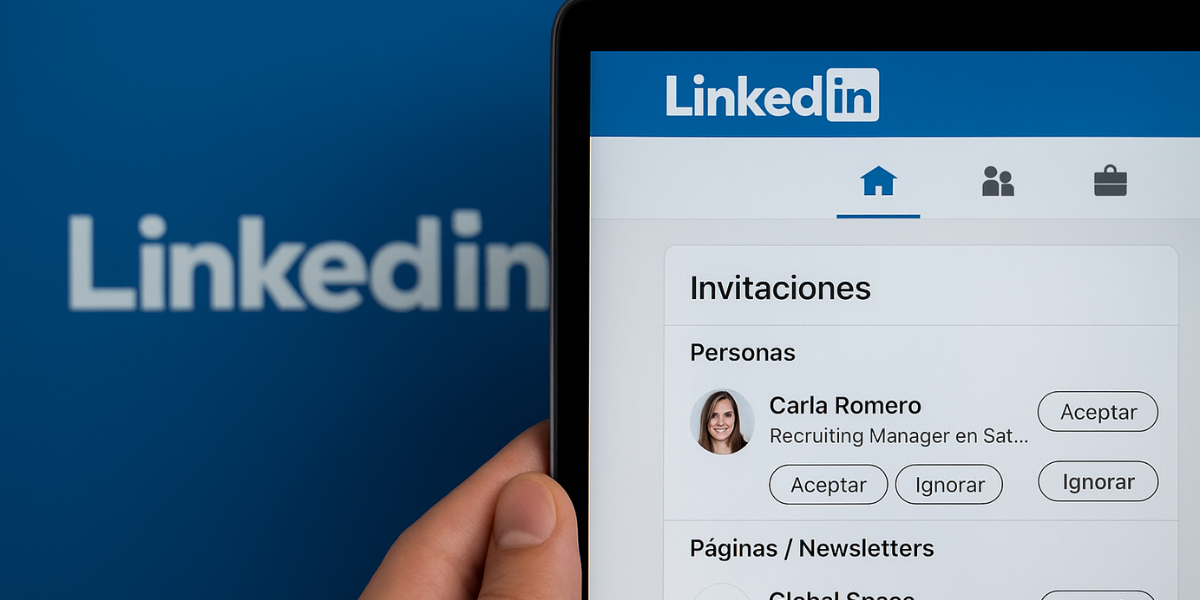
Sometimes in product design, the interaction errors do not come from the user, but from the visual context in which it makes decisions. And that's just what I wanted to analyze with this little UX case in LinkedIn.
From my professional perspective, I detected a specific situation in the invitation section that may be generating unintended confusionespecially when we receive several applications at once.
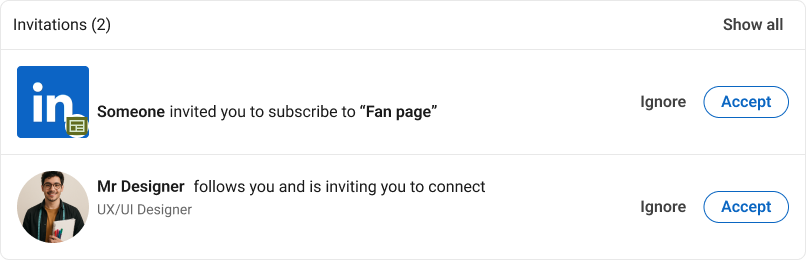
Current situation: all in the same block, without hierarchies
When we review notifications in LinkedIn, all invitations —either requests for connection, subscriptions to newsletters or pages— appear together within the same module.
This, from my point of view, presents a clear problem:
- No visual hierarchy between types of content.
- Everything is presented with the same visual weight and structure.
- The user acts by habit And you can accept something you didn't want.
In short, the system does not provide sufficient context for an informed decision. What should be a conscious action, becomes an automatic click.
UX diagnosis: decisions without real intention
As a UX designer, I focus on how digital products can promote more conscious decisions. In this case, I consider that the current design:
- It does not adequately guide the user's attention.
- Mix personal content with commercial without differentiation.
- Genera unnecessary cognitive frictionespecially for those who manage many daily interactions.
It is a clear example of how a neutral, although functional, design can fail in terms of clarity of intention.
Proposal for improvement: separate types of invitations
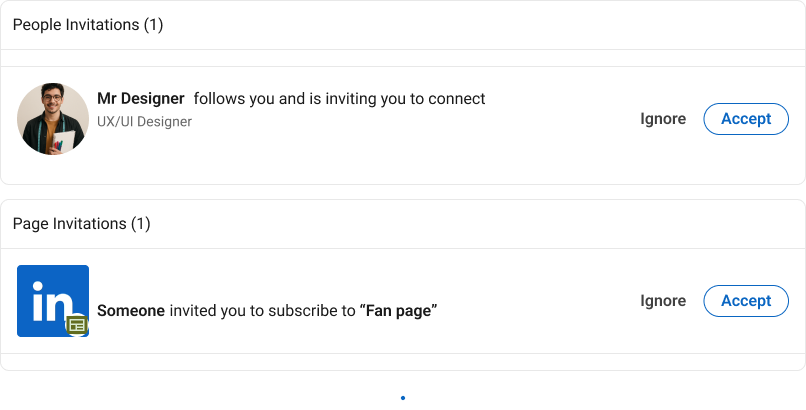
I have worked on a microadjustment proposal that does not alter the general logic of the design, but does improve the visual organization of the module.
My approach is based on:
- Visually separate the types of invitations in differentiated blocks:
- Persons
- Pages / Newsletter
- Maintain LinkedIn's native design, respecting its visual system.
- Strengthen the context of each invitation so that the user understands at a glance what he is accepting.
What does this improvement bring from UX?
From my professional perspective, this change represents a significant improvement in three key areas:
1. Clarified information architecture
The user immediately identifies the type of content The one who's reacting. The risk of confusion is reduced and the understanding of the environment is improved.
2. More conscious control
By differentiating content types, the automatic behavior is limited. Decisions are made more intensively, reducing subsequent errors and frustrations.
3. Cognitive friction reduction
The mental effort needed to interpret the interface is minimized. This makes the experience more fluid and efficient, even in routine tasks such as accepting or rejecting invitations.
A small change with real impact
The most interesting thing about this kind of improvement is that no need to redesign the entire system. Sometimes the most valuable adjustments in product come from detecting blind points in daily experiences.
In this case, the proposal does not add complexity, only better organize what already exists. And that, from my user-centred design approach, is always a plus.
This is just an observation from my professional practice. But if I've learned anything, it's that the great products are built based on small details well thought out.

UX / IU Designer and Digital Marketing Specialist
Creating intuitive experiences and effective strategies.