During the weekend I've been exploring Lovable, a non-code tool that has found me especially interesting for its conversational approach and its practical utility in digital design projects. In this post I want to share my experience creating a Wireframes generator for web pages, which may be useful as a conceptual starting point for UX / UI designers, product equipment or profiles that do not dominate visual design but need to structure their ideas clearly.
What is Lovable and why it caught my attention
Lovable is a tool that allows to generate interfaces —whether for apps, landings, websites or more complex programs— through a guided conversation. The interesting thing is that you don't need to know how to program or design, as the whole structure is generated on the basis of a conversational form. This makes it a very accessible solution for multidisciplinary teams, business profiles or people who are starting in the world of digital design.
The idea is that the system understands the context you introduce, asks key questions and, based on your answers, generates a functional description, a content structure and a visual wireframe. In addition, it allows access to the generated code and export the design directly to Figure, which facilitates its use as a base material for subsequent iterations or internal validations.
The experiment: create a wireframes generator for UX / IU projects
To test the tool, I developed a mini program that helps structure wireframes for websites, in this case focused on an ecommerce of parapharmacy products.
The objective was to assess the potential of Lovable as an assistant in the early stages of the UX design: content structuring, key screen definition and preliminary display. The result was a rather coherent proposal, especially useful for those in need. understand which elements each screen should include according to its purpose.
The full flow I followed was as follows:
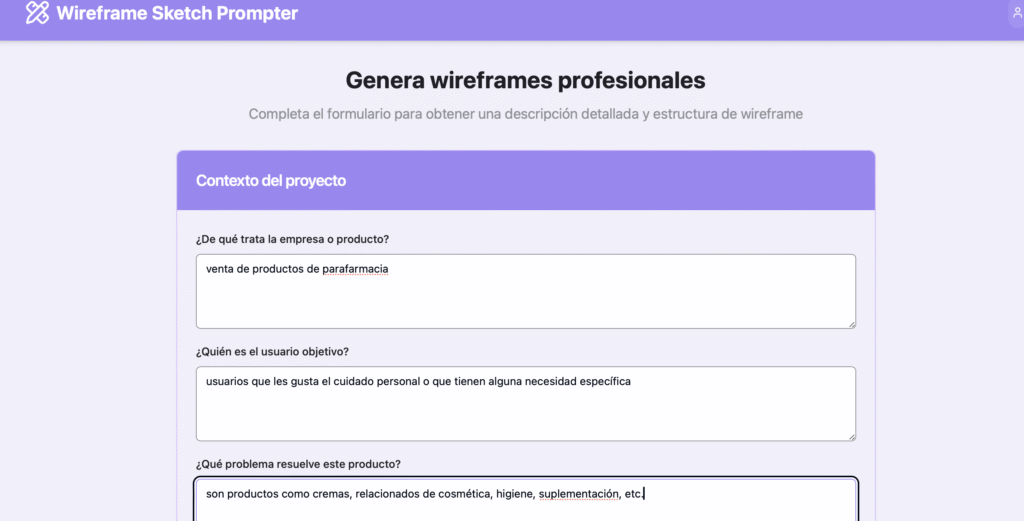
- Complete the context form: product type, target audience, problem that solves.
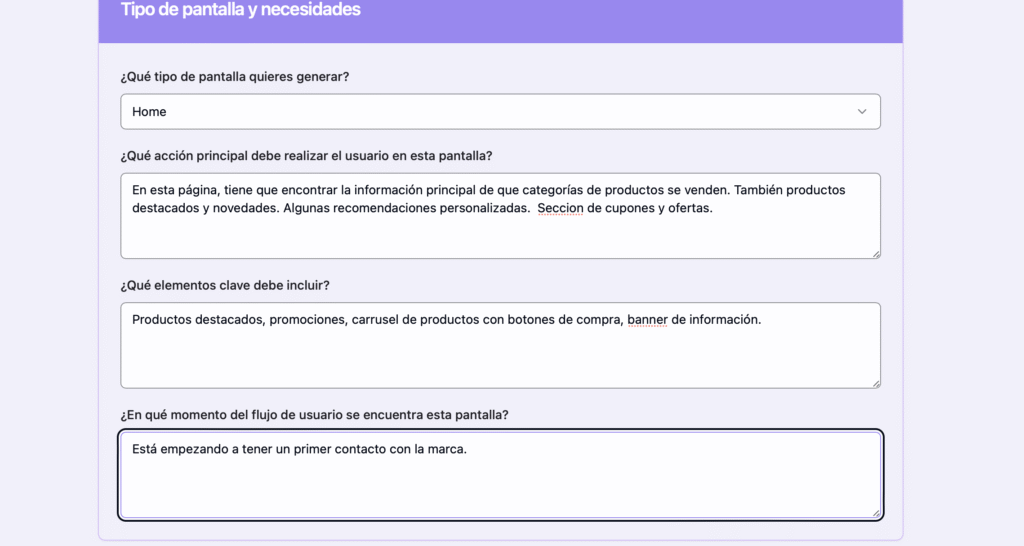
2. Define the screen type: in this case, a screen «Home». In addition Indicate content needs: key elements, user actions, time of flow in which it is located.
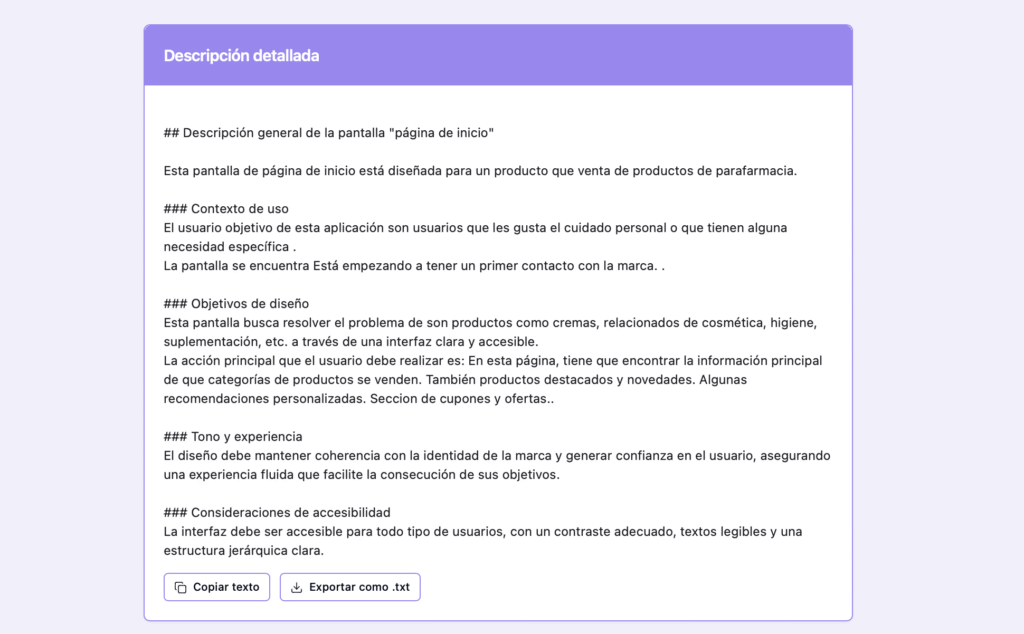
3. Receive a detailed report: design objectives, tone, accessibility considerations, etc.
4.Get a structural proposal: hierarchy of content blocks and ordered sections.
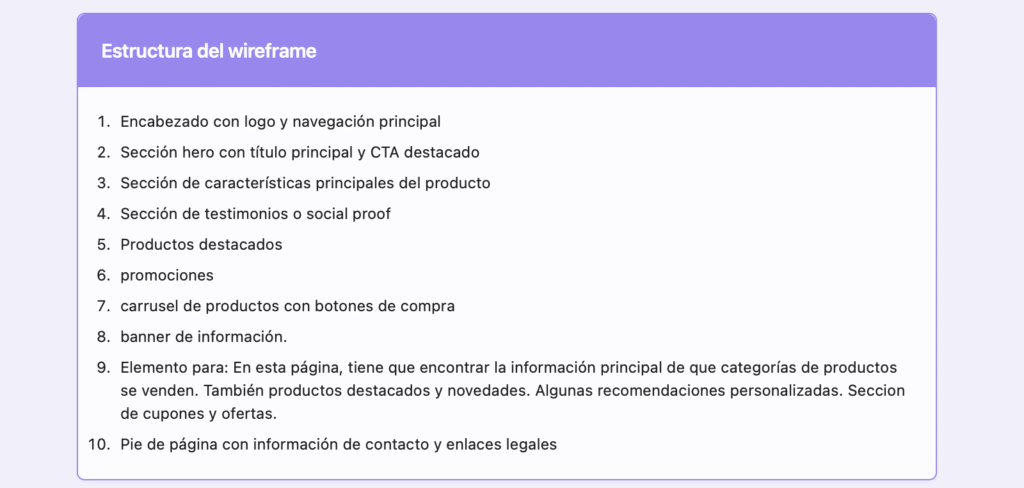
5.Visualize a basic wireframe: approximate distribution of on-screen elements.
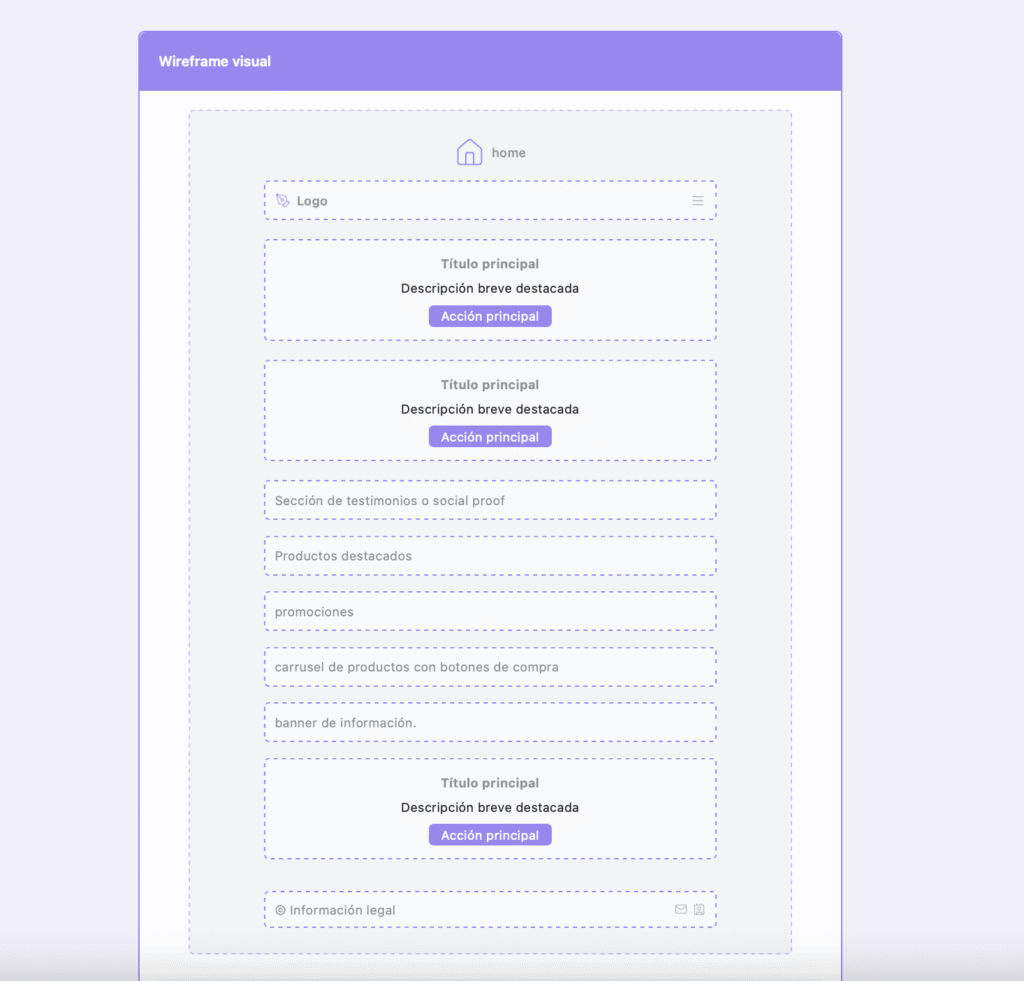
Results analysis: what this tool brings to the design process
The most important thing for me has been to check how, from a few well-asked questions, Lovable manages to generate a document that summarizes the essentials of an interface: for what purpose, what content it should have and how it is organized.
From a methodological point of view, it can be particularly useful in three scenarios:
- Ideation and conceptualization: helps to order ideas, detect content needs and think of minimum functionalities.
- Interdepartmental collaboration: non-technical profiles can share a clear proposal with designers or developers.
- Early iteration: becomes a first version that can then evolve through more advanced tools like Figure or Webflow.
In addition, the detailed description you provide —with design, tone, context of use and accessibility objectives— provides a solid basis for documenting decisions and aligning stakeholders from the start of the project.
Limitations and possible improvements
Although the proposal is solid as a starting point, it must be borne in mind that the generated solution does not replace the UX / UI custom design work. The structures and components are generic, and do not include business particularities, sector-specific patterns and microinteraction details.
It would also be interesting to be able to adjust more visual parameters in the wireframe or add conditional blocks according to expected user behaviors.
Is Lovable useful for design professionals?
In my opinion, yes, and a lot. Not to design the final product, but it does like strategic tool to unlock ideas, document requirements or generate quick proposals in initial phases. Especially if you work with business profiles or customers who have no experience in digital design.
Personally, I highly appreciate the ability to generate a base to work on. In my case, after completing the form and visualizing the proposal, I exported the design to Figure And I started to adjust the components in more detail, adapting the visual tone and applying a real navigation logic.
In short: first impressions and next steps
This first test with Lovable has been a very positive experience. I think it has a great potential as a tool for early structuring and facilitation of ideas. It allows you to start projects faster, focus the conversations and reduce the friction between design and business.
In my case, I have worked with the free version, but after this test I am clear that it is worth continuing to explore the possibilities of the payment version. Above all, I'm interested in experimenting with more complex or collaborative uses.
I have published a small example that you can try directly here:
https: / / lnkd.in / dNyUT _ AK
If you are curious to see how it works, I invite you to complete the form and explore the result. And if you decide to try it, I'd love to know your feedback. I'm exploring more specific use cases, so if you think of any, I'll be happy to hear it.

UX / IU Designer and Digital Marketing Specialist
Creating intuitive experiences and effective strategies.