At a time when the efficiency and automation they become key parts in the design workflows, Figmahas taken a relevant step with the launch of your new tools Al Beta, designed to speed up visual tasks without leaving the working environment. I recently published a detailed analysis of the function Make an Image, focused on the generation of images from text. On this occasion, I focus on the other functions available in this beta, assessing its real utility in a professional design environment UX / IU.
Edit Image: intuitive editions through text
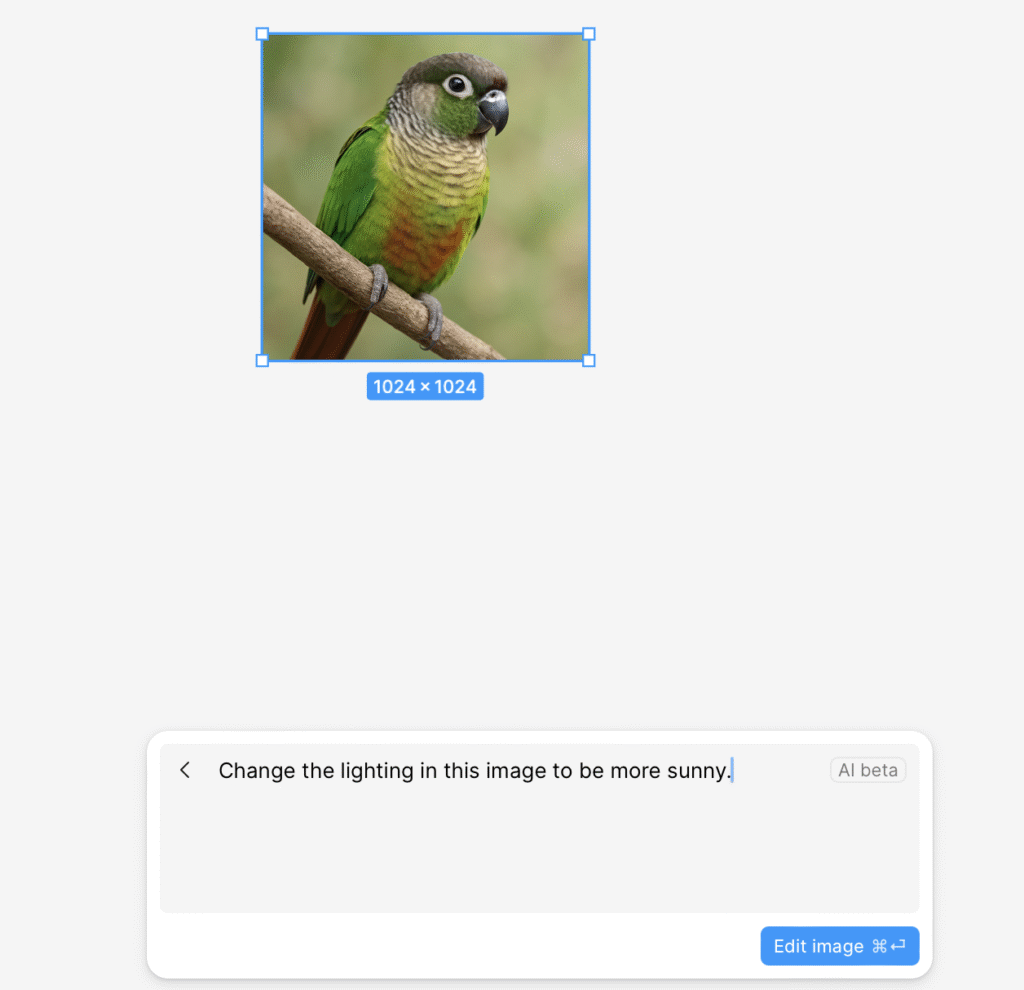
One of the most powerful functionalities is Edit Image, which allows to perform contextual editions of an image simply by writing an instruction in natural language.
Actions such as:
- Modify the lighting
- Adjust the brightness or contrast
- Add or delete objects
- Apply specific effects such as shadows, reflexes or disapproaches
In my case, I did a test asking that the image have a sunny lighting.
Although the response was fast and technically correct, the final result seemed too warm, with a dominant yellow tone that altered the realistic perception of the content.
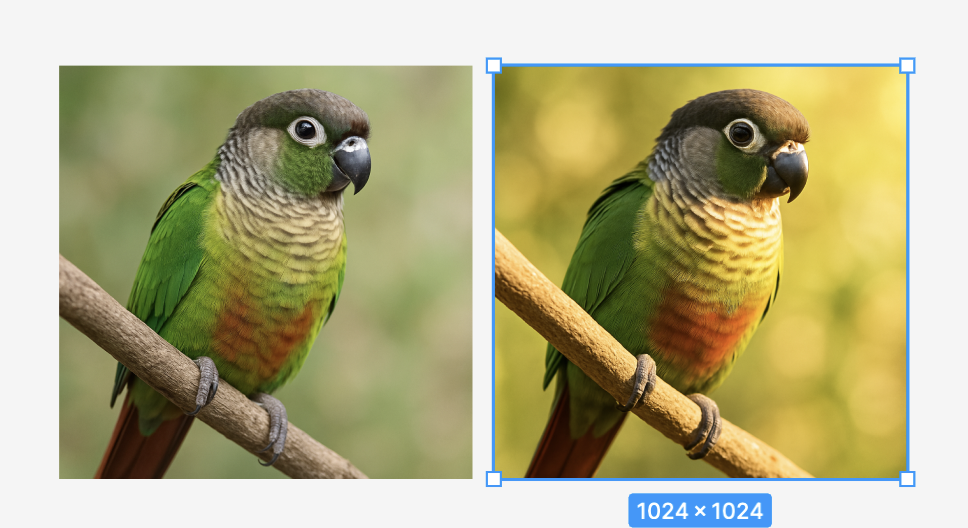
This shows that, while the tool is powerful, it still requires a certain human criterion to evaluate final results, especially when we work with product photos or images for visually coherent interfaces.
Boost Resolution: subtle but effective improvements
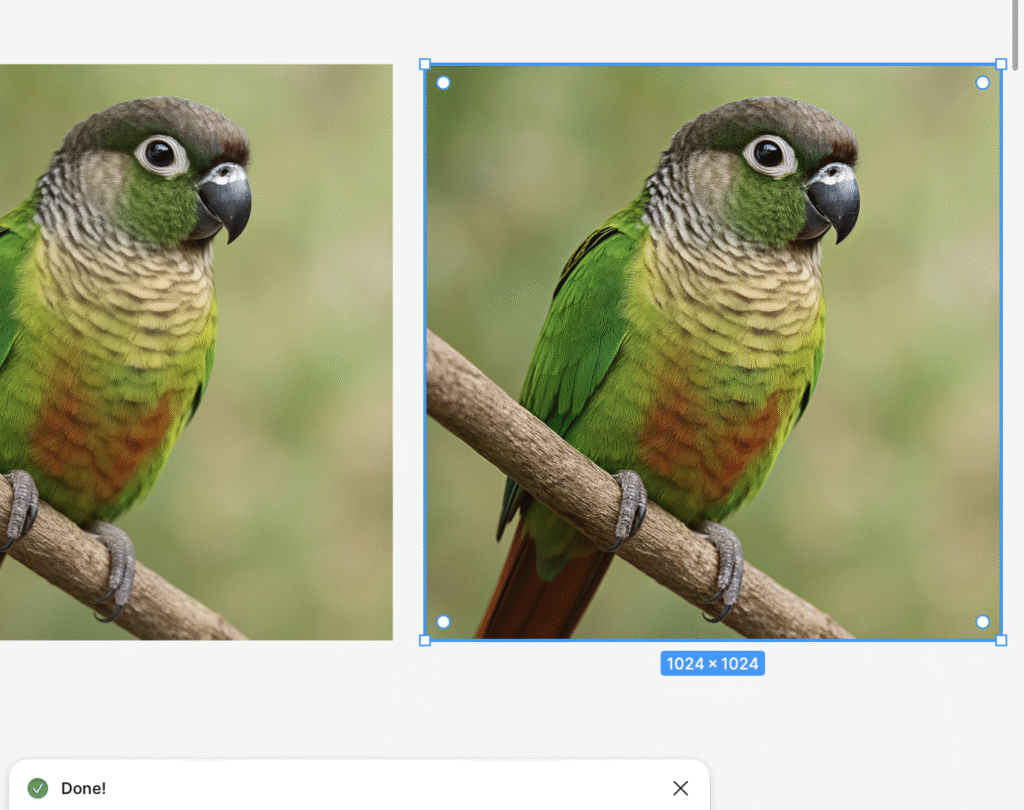
The function Boost Resolution allows to scale the quality of an image automatically. Although the starting images were already in high resolution, after applying this option, improvements were seen especially in the fine detail and texture the plumage of the parrot I worked with.
This type of microoptimization can make a difference when preparing images for high-fidelity presentations, Mockups in HD or exportable asset for productavoiding the use of external tools.
Remote Background: accuracy and speed
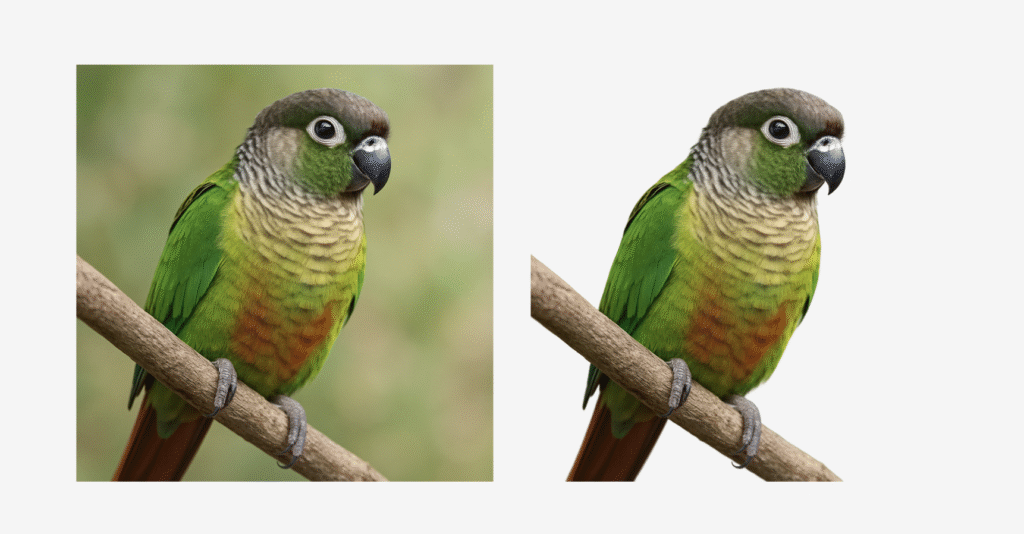
Of all the tools tested, Remove Background is possibly the one I consider most practical and ready for production. Your ability to to detect complex edges even with diffused backgrounds I thought it was outstanding.
In the tests I performed, the cut was clean, fast and functional, leaving the parrot figure ready to be used as a graphic resource without manual adjustments. It's a tool that I usually integrate into my flowespecially for visual prototyping and content for networks or presentations.
Crop Image: direct access to the image editor
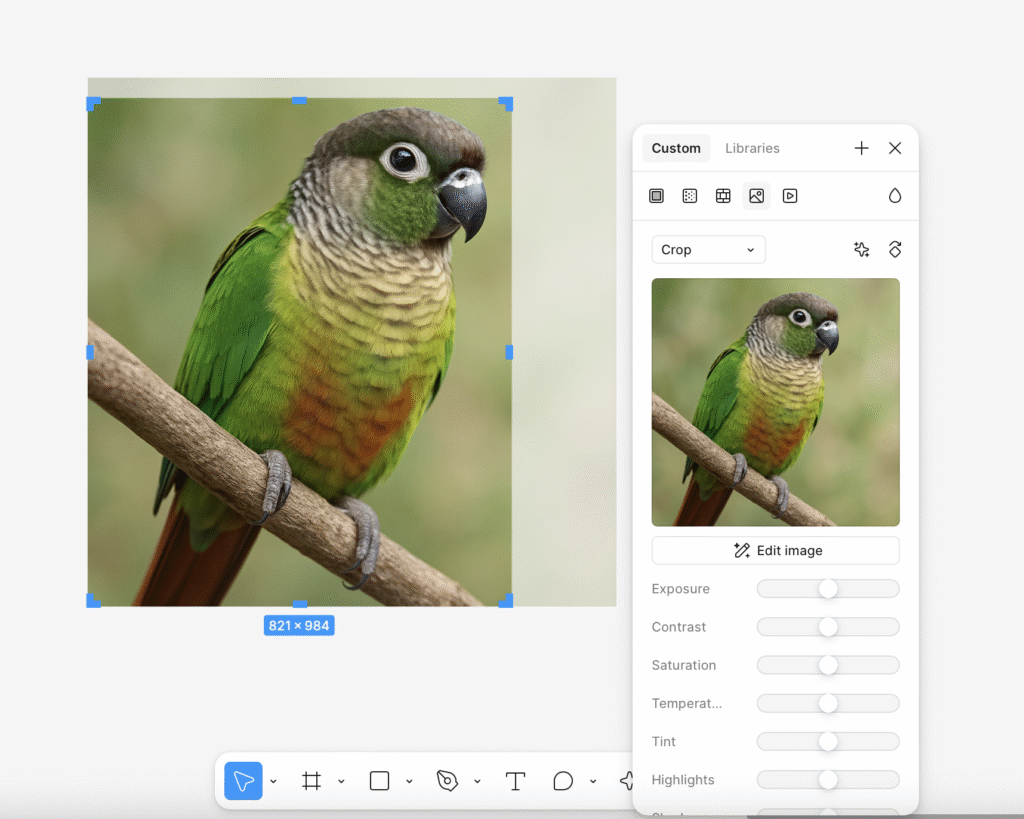
The functionality Crop Image does not apply changes on its own, but immediately activates the editing panel, allowing for the adjustment of cut, exposure, contrast or color temperature. While not innovative in itself, its direct integration as a functional shortcut is appreciated. Optimizes times in the same working paper.
Tools that add to the UX / IU flow
Functions Al Beta de Figure represent an interesting advance in terms of productivity, visual exploration and automation of repetitive tasks. In particular, I highlight the value of tools such as Remove Background and Boost Resolution for its direct integration and reliability.
However, as a UX / IU designer, I think it is essential to maintain a trained visual criterion in applying these functions, since the automatic result will not always be the most appropriate from the point of view of visual consistency, realism or alignment with the branding.
These types of tools do not seek to replace the creative criterion, but complement and accelerate processesallowing more time to be spent on strategic design and user experience.
UX / IU Designer and Digital Marketing Specialist
Creating intuitive experiences and effective strategies.